Google Ads Introduces Invalid Traffic Savings Dashboard
Google Ads is rolling out a new dashboard card to show estimated savings from filtered invalid traffic, making it easier for advertisers to track the financial impact. This update aims to provide more transparency into Google's traffic filtering systems.
Original reporting · searchenginewatch.com
Original: “Google Ads will show how much bad traffic it keeps off your bill”
Read “Google Ads will show how much bad traffic it keeps off your bill” at Search Engine Watch →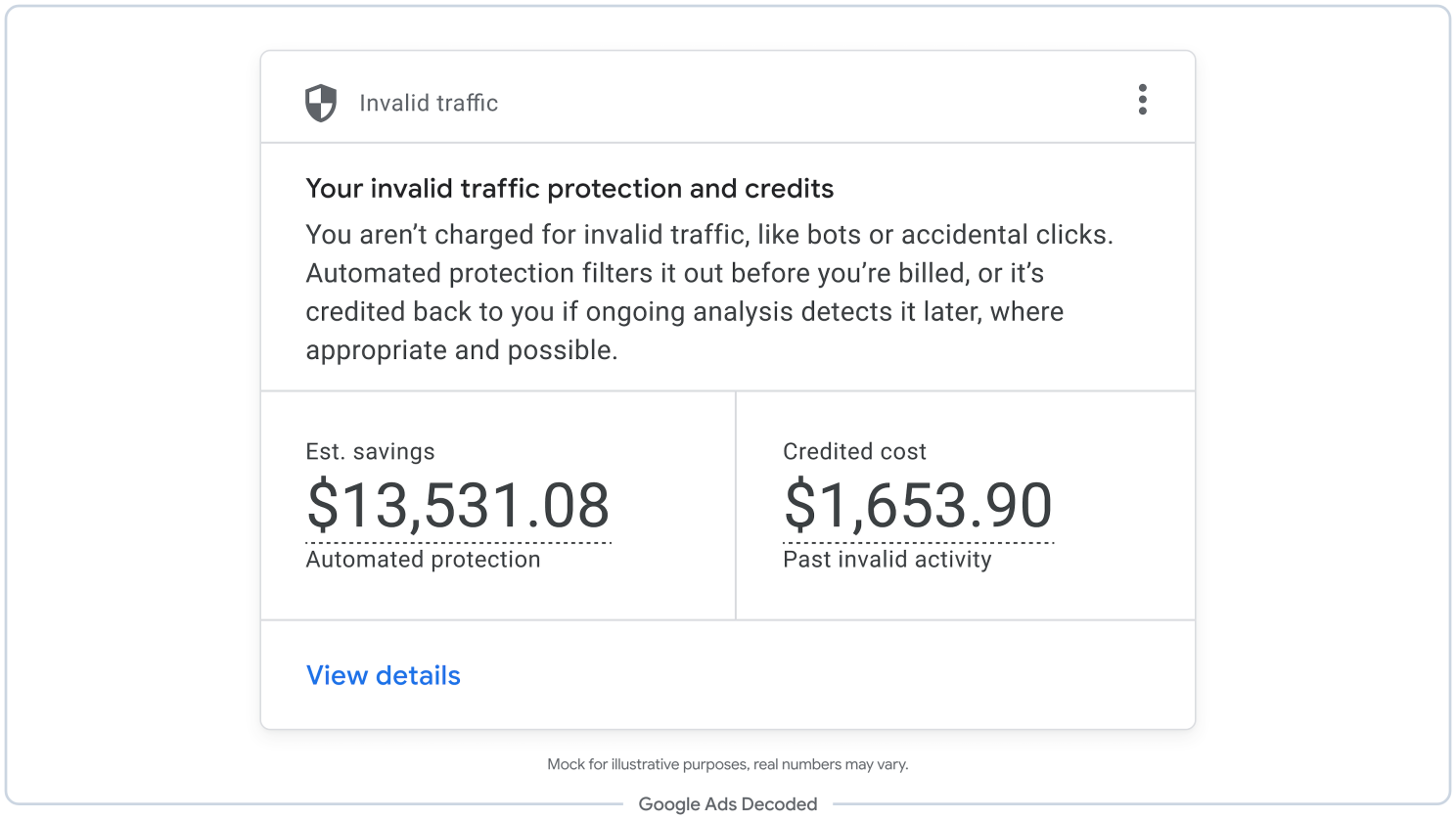
How this was written. Adtomix wrote this article with a language model from Search Engine Watch’s reporting (model: @cf/meta/llama-3.3-70b-instruct-fp8-fast); it describes that reporting rather than adding to it. The original, linked above, is the full story.
Key points from Search Engine Watch’s report
- Google Ads is introducing a new dashboard card to show estimated savings from filtered invalid traffic
- The Invalid Traffic Overview Card provides a clear breakdown of the financial effects of Google's traffic filtering
- The card makes it easier for advertisers to track the financial impact of invalid traffic and make more informed decisions
- Google provides a separate Invalid Activity Credit Report for Search and Performance Max campaigns to show performance after credits have been applied
- Advertisers should consider the adjusted cost when evaluating campaign performance to ensure accurate comparisons
Google Ads is introducing a new feature to help advertisers understand the financial impact of its traffic filtering systems. According to Search Engine Watch, the Invalid Traffic Overview Card will be available on the account's Overview page, providing estimates of savings from filtered invalid traffic and credits applied after billing.
The rollout of this feature was announced on November 12, and access is being expanded gradually. Once available, users can view the card by opening Campaigns and then Overview, where they will find the Invalid traffic section. This section includes estimated savings from automated filters and proactive reviews, as well as credited costs for invalid activity detected after a billing period closed.
The Invalid Traffic Overview Card provides a clear breakdown of the financial effects of Google's traffic filtering. By selecting View details, users can access daily graphs, campaign breakdowns, and links to invoices. This information can help advertisers better understand the impact of invalid traffic on their campaigns and make more informed decisions.
Invalid traffic includes bot activity, accidental clicks, and attempts to inflate an advertiser's costs. Google has been filtering this activity and issuing credits for years, but the new card makes it easier to see the financial effect. This increased transparency can help build trust between Google and its advertisers, and provide a more accurate picture of campaign performance.
One potential issue with the current system is that campaign metrics can become outdated if credits are applied after a billing period closes. To address this, Google provides a separate Invalid Activity Credit Report for Search and Performance Max campaigns. This report shows performance after credits have been applied, allowing users to see the adjusted cost, click-through rate, conversion rate, and cost per conversion.
When using this report, it is essential to consider the adjusted cost when evaluating campaign performance. For example, if a campaign is billed $1,000 and records 20 conversions, the initial cost per conversion may be $50. However, if Google later applies a $100 invalid activity credit, the adjusted cost per conversion would be $45. This correction can significantly impact the comparison with other campaigns, and using the original figure could overstate the cost of conversions.
Google also notes that there may be a timing issue with credits, as a click recorded near month-end can be identified as invalid after the billing cycle closes. This can put the interaction and its credit in different months, highlighting the importance of considering the adjusted cost when evaluating campaign performance.
Questions and answers
What is the Invalid Traffic Overview Card?
The Invalid Traffic Overview Card is a new feature in Google Ads that shows estimated savings from filtered invalid traffic and credits applied after billing.
How can I access the Invalid Traffic Overview Card?
The card can be accessed by opening Campaigns and then Overview, where you will find the Invalid traffic section.
Why is it important to consider the adjusted cost when evaluating campaign performance?
Considering the adjusted cost is crucial to ensure accurate comparisons between campaigns, as using the original figure could overstate the cost of conversions.